Beyond the Blast: A 2026 Playbook for JPPD Event Notices That Actually Land
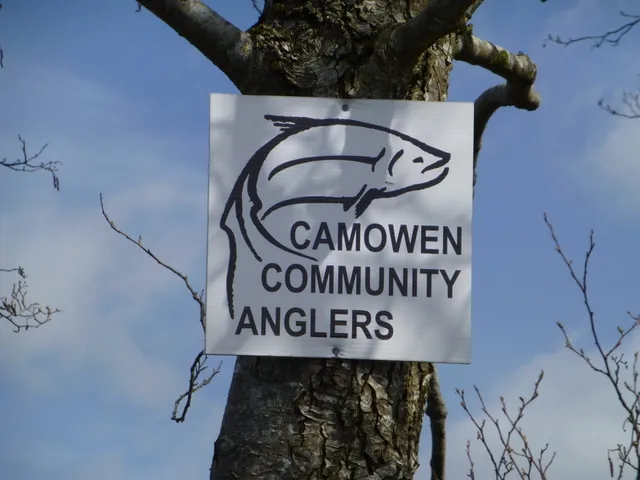
Photo: Kenneth Allen , CC BY-SA 2.0, via Wikimedia Commons
Every JPPD member has watched a well-intentioned event notice disappear into the scroll. The flyer was attractive. The details were accurate. Yet by the time the RSVP deadline arrived, half the room had not seen the message at all. In 2026, the challenge is rarely a lack of enthusiasm; it is a lack of signal. Members now share updates through email threads, group chats, social platforms, printed boards, and personal calendars. A notice posted once is not truly published. It is merely sent.
1. Mix channels by purpose, not by panic
The first habit is to stop treating every channel as a copy-and-paste destination. Email remains the durable record: it can carry the full schedule, accessibility details, cost information, and contact names. Social platforms are better for awareness and shareability, especially when a short caption and a clear graphic travel together. Community boards serve local discovery, particularly for members who prefer to encounter news in a physical space. Group chats are useful for time-sensitive changes, but they are poor archives. A cancellation announced only in a chat may never reach the person who checked the calendar on Monday.
A practical routing rule helps. Send the full notice by email and post a condensed version to social platforms. Reserve chat messages for deadlines, weather changes, and day-of logistics. Update the community board once the calendar entry is final, not before. This approach respects each channel's strengths and avoids the common mistake of posting the same long message everywhere in a fog of just-in-case communication. In 2026, members are not short on messages. They are short on messages that respect their attention.
2. Write for accessibility before decoration
A notice that cannot be read is not a notice. Accessible copy begins with plain language, descriptive links, and text that does not live only inside an image. If a flyer is used, pair it with a text version that includes the date, time, location, cost, and a contact for accessibility questions. Use high-contrast colors and readable type sizes. Add captions to video promotions and alt text to images. Avoid acronyms that only longtime members understand, and spell out the full name of the venue the first time it appears.
Accessibility also means clarity about what attendees should expect. State whether the venue has step-free access, whether seating is available, whether the event is family-friendly, and whether food will be served. Include a real contact method for questions, not a generic inbox that no one monitors. When members can scan a notice and understand both the invitation and the logistics, they are more likely to act. Good design is not decoration. It is a form of hospitality.
3. Keep the calendar clean and authoritative
One of the fastest ways to make event news impossible to miss is to make the calendar trustworthy. JPPD members should know where the definitive event record lives. That means maintaining a single canonical calendar entry for each event, with a named owner, a last-verified date, and a clear cancellation protocol. Duplicate entries, stale dates, and ambiguous venue names create hesitation. Hesitation becomes a missed event.
Calendar hygiene is not glamorous, but it is decisive. Verify the time zone. Confirm the room or outdoor location. Check whether the event has a rain plan. Remove old entries once an event has passed. If a schedule changes, update the source first and then notify the channels that point to it. Every short reminder should link back to that authoritative entry. Members should never have to wonder which version of the notice is current. A clean calendar is a quiet promise that the organization knows what it is asking people to attend.
4. Use short reminders with a clear job
Short-form reminders are powerful when they have a specific purpose. A reminder is not a compressed copy of the original notice. It is a nudge toward one action: add the event to a calendar, RSVP by Friday, bring a reusable water bottle, or sign up for a volunteer shift. The most effective reminders arrive with enough time to act but not so often that they become background noise. A 24-to-48-hour reminder often does more work than a week of daily pings.
Member organizers should also respect quiet hours and avoid ad hoc messaging that trains people to mute notifications. Schedule reminders in advance, assign one person to send them, and include the event name in the first line. If the event changes, send a correction immediately and label it as an update. Notification fatigue is real. The goal is not to be the loudest voice in a member's feed. The goal is to be the voice that arrives when the member can still do something useful.
5. Close the loop with simple feedback
Finally, treat every event notice as a small experiment. After the event, ask two questions: did the notice arrive in time, and which channel did you use to confirm the details? A short form or a brief member survey is enough. The answers will not solve every promotion problem, but they will reveal patterns. Perhaps the email subject line was too vague. Perhaps the social post lacked a date. Perhaps the community board was updated after the deadline. Perhaps the chat reminder worked better than expected.
Share what is learned with the next event team. Keep a living note in the member resources area so organizers do not start from scratch each time. Small feedback loops prevent the same mistakes from becoming tradition. They also signal that member attention is valued rather than assumed.
The notice board reimagined is not necessarily a new platform. In 2026, it is a set of habits: choose channels with purpose, write for accessibility, keep one calendar authoritative, remind briefly, and ask what worked. JPPD members do not need to overshare to be seen. They need to be consistent, clear, and considerate. A good notice respects the reader's time. That respect is what makes event news impossible to miss.